Settings apply to everyone in the business, from the next message. Everyone can look; only owners and admins can change them. Open it from your name at the bottom of the sidebar, then Settings.
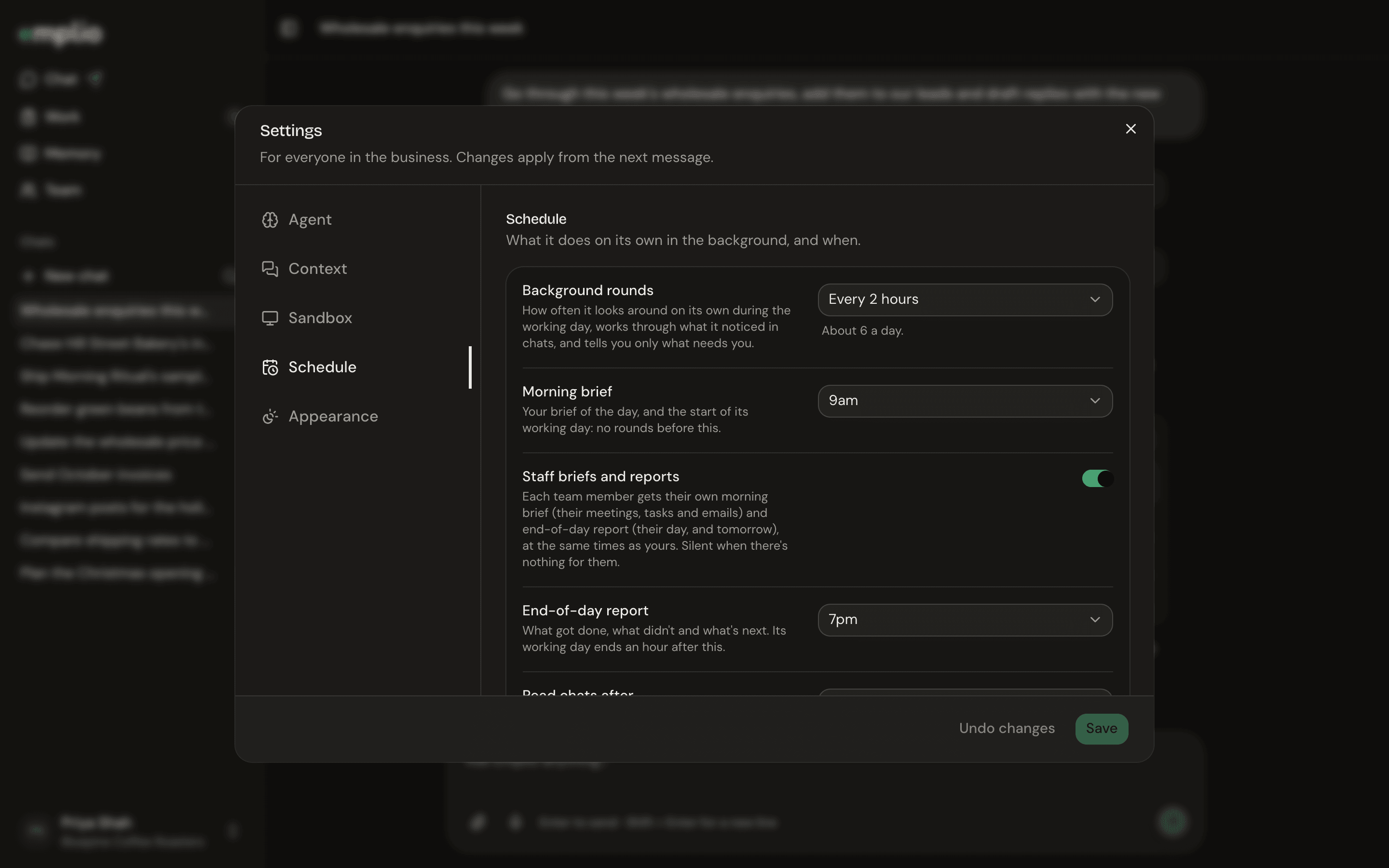
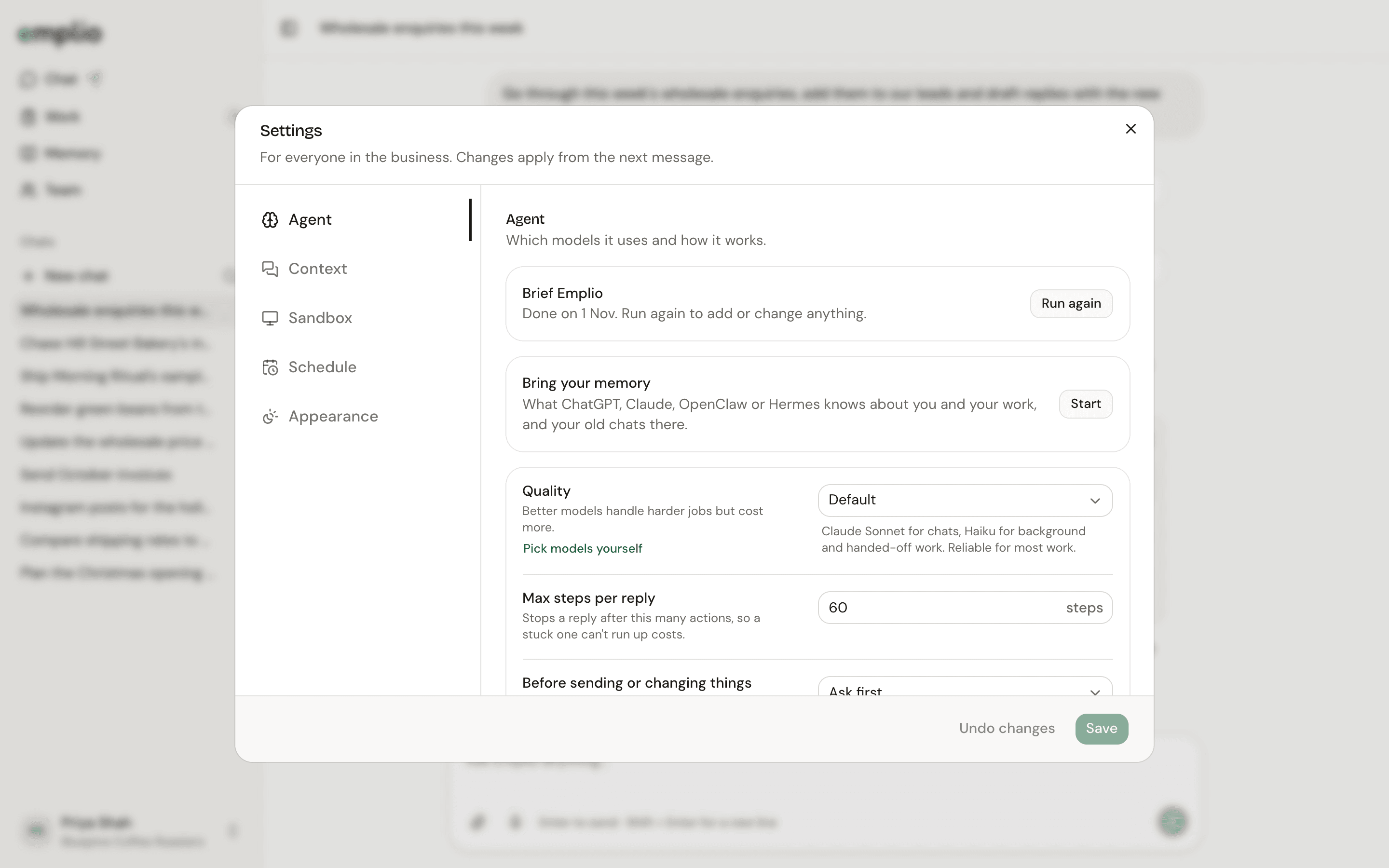
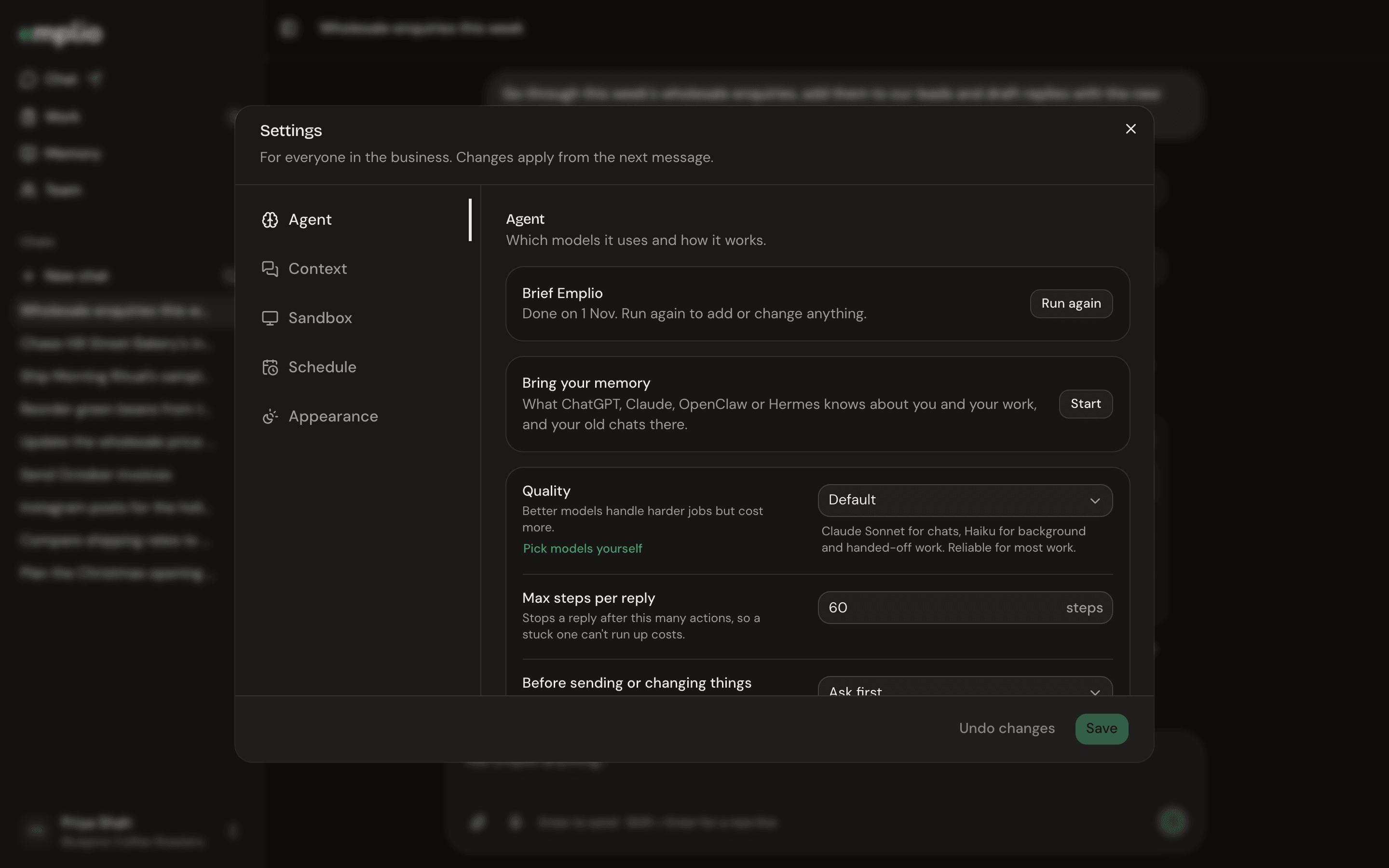
Settings on the Agent tab with Quality, Max steps per reply and approval optionsSettings on the Agent tab with Quality, Max steps per reply and approval options

The Agent tab

Agent

Also here: Brief Emplio to run the setup chat again, Bring your memory, and Always allowed, the actions you told it to stop asking about. Under Advanced you can pick each model yourself, set the reasoning effort, or add your own OpenRouter key.

Context

Sandbox

Schedule
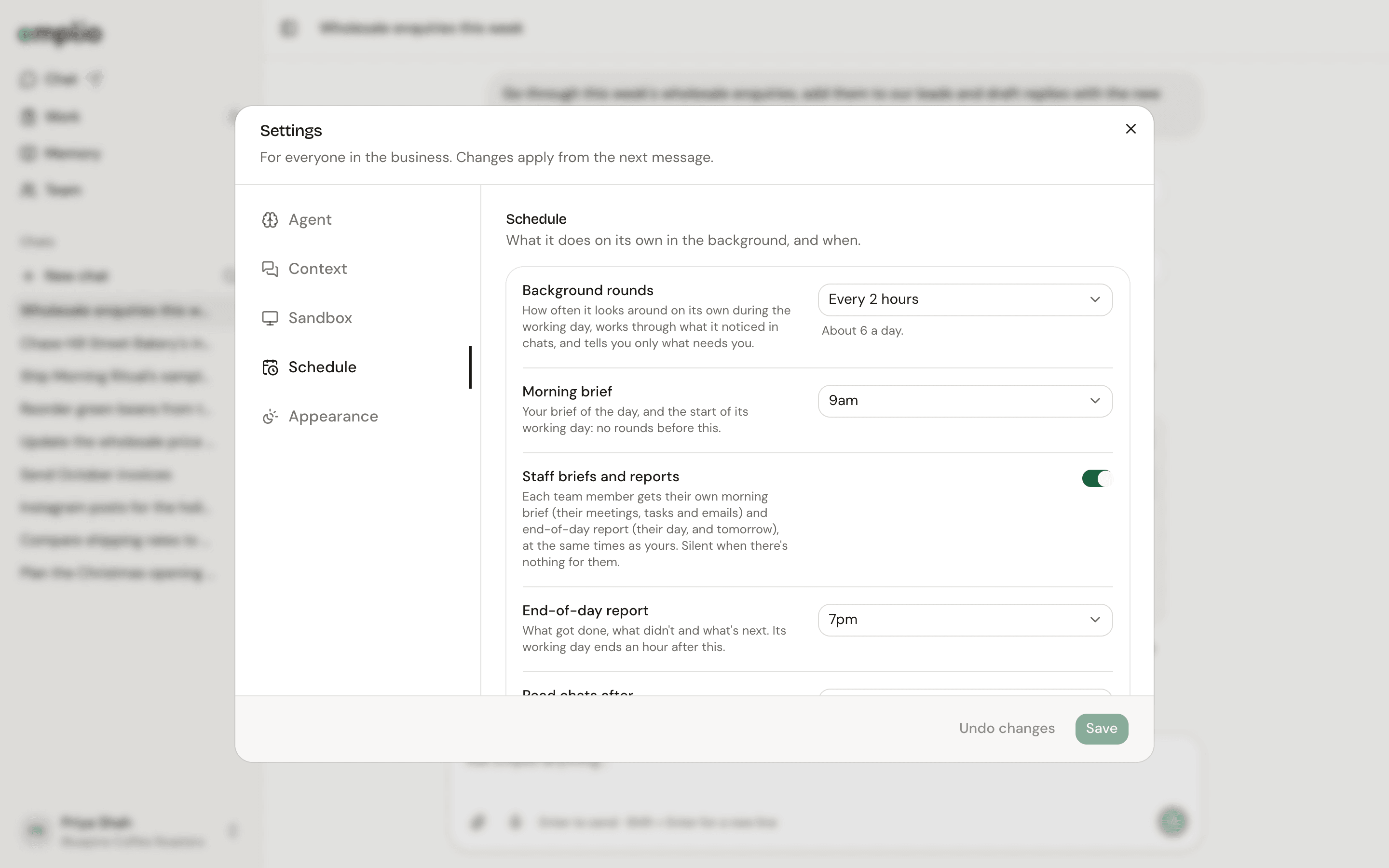
Settings on the Schedule tab with background rounds, morning brief and end-of-day report timesSettings on the Schedule tab with background rounds, morning brief and end-of-day report times

The Schedule tab

Appearance

Pick Match this device, Light or Dark. This is just for you, on this device, and applies at once.
Press Save at the bottom to keep changes, or Undo changes to drop them.

Automations

Briefs, reports and scheduled work.

Key ideas

Approvals and more.