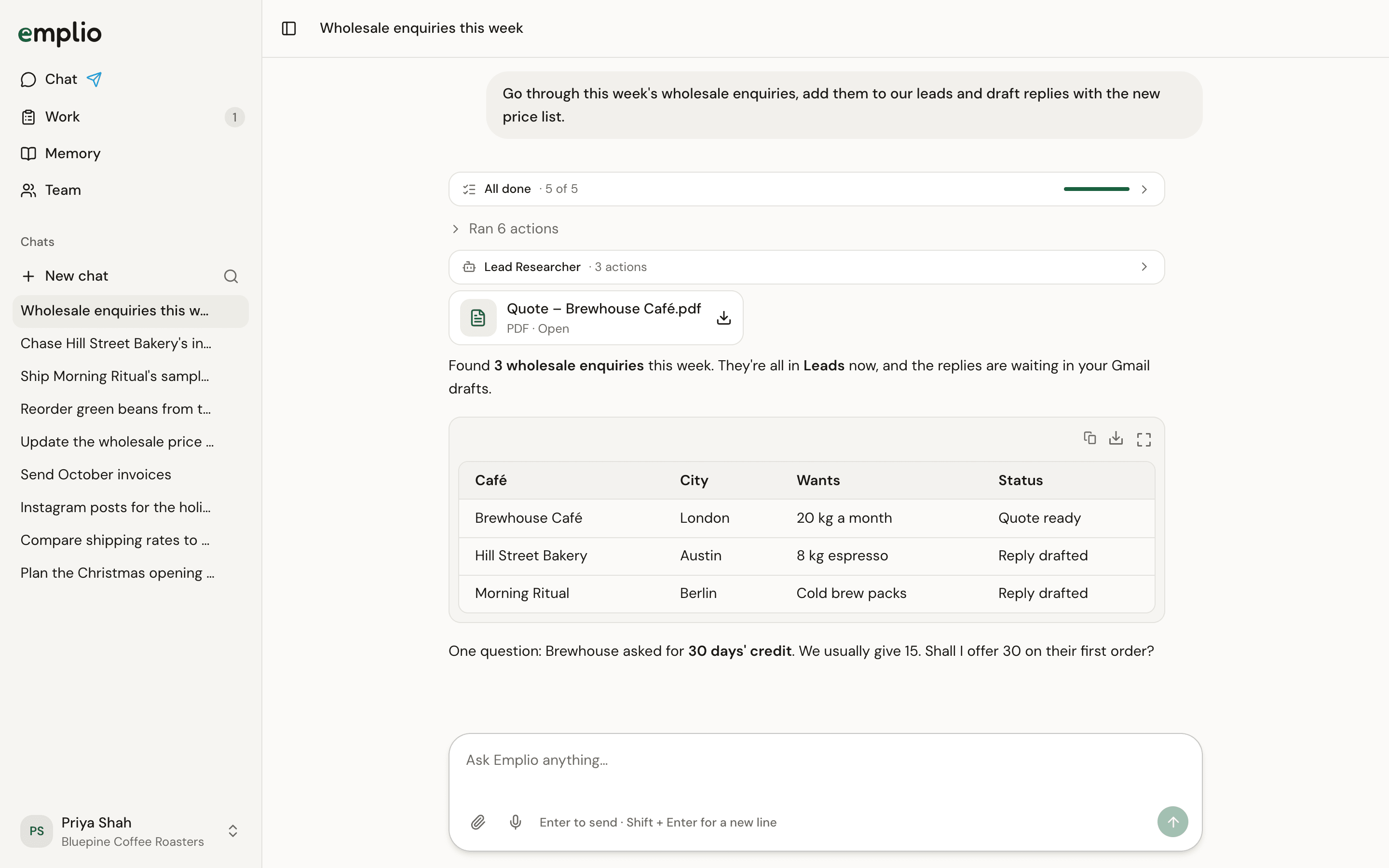
Goal: every enquiry in your inbox gets saved as a lead and answered, with a proper quote when the customer asks for one. You need
A chat where Emplio reads enquiries, adds leads and drafts repliesA chat where Emplio reads enquiries, adds leads and drafts replies

Emplio working through enquiries in the chat

1

Give it your prices once

Attach your price list to a message and say:
2

Ask it to go through the enquiries

Emplio shows each step as it works.
3

Check the drafts

Before it saves or sends anything in Gmail, a card asks you. Tap Allow, Always allow or Deny.
4

Make a quote

The PDF appears in the chat. Open it to download it or get a share link. It is also kept in Memory under Files.
5

Make it automatic (optional)

Emplio saves this as an automation. Only the owner and admins can set one up.
What you get: a Leads table that stays up to date, replies waiting for your OK, and quotes made from your own prices.
Correct a draft once (“we never offer free delivery under 50 kg”) and Emplio keeps that rule for next time. See Teach it a rule.

Track your leads

See, search and export the leads Emplio saves.

Chase unpaid invoices

Follow up on money owed, every week.